


Designing the main page of my shop
Through the “Shop Design” menu in MarppleShop Studio, you can design the main page of your shop.
You can edit the name and address of your shop that you set through your creator application and put up links to your social media.
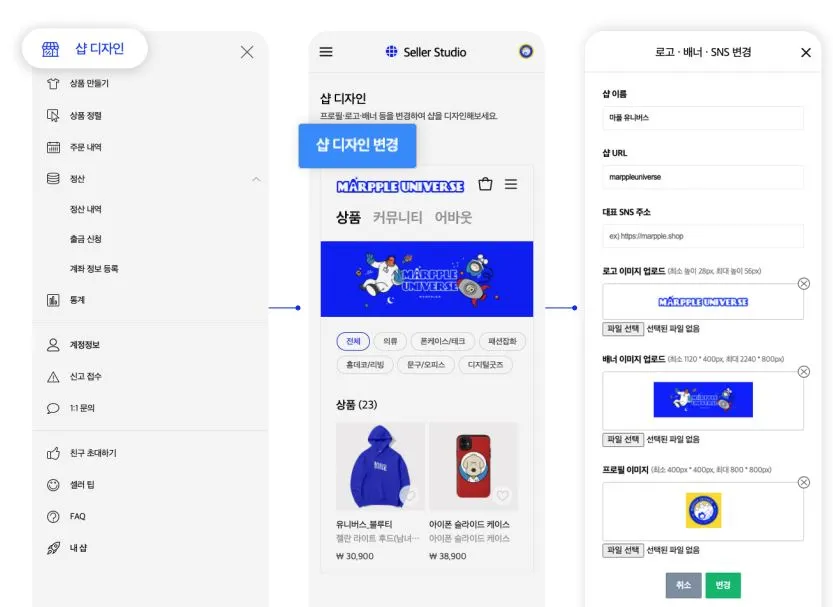
Important elements following them are the logo and banner images.
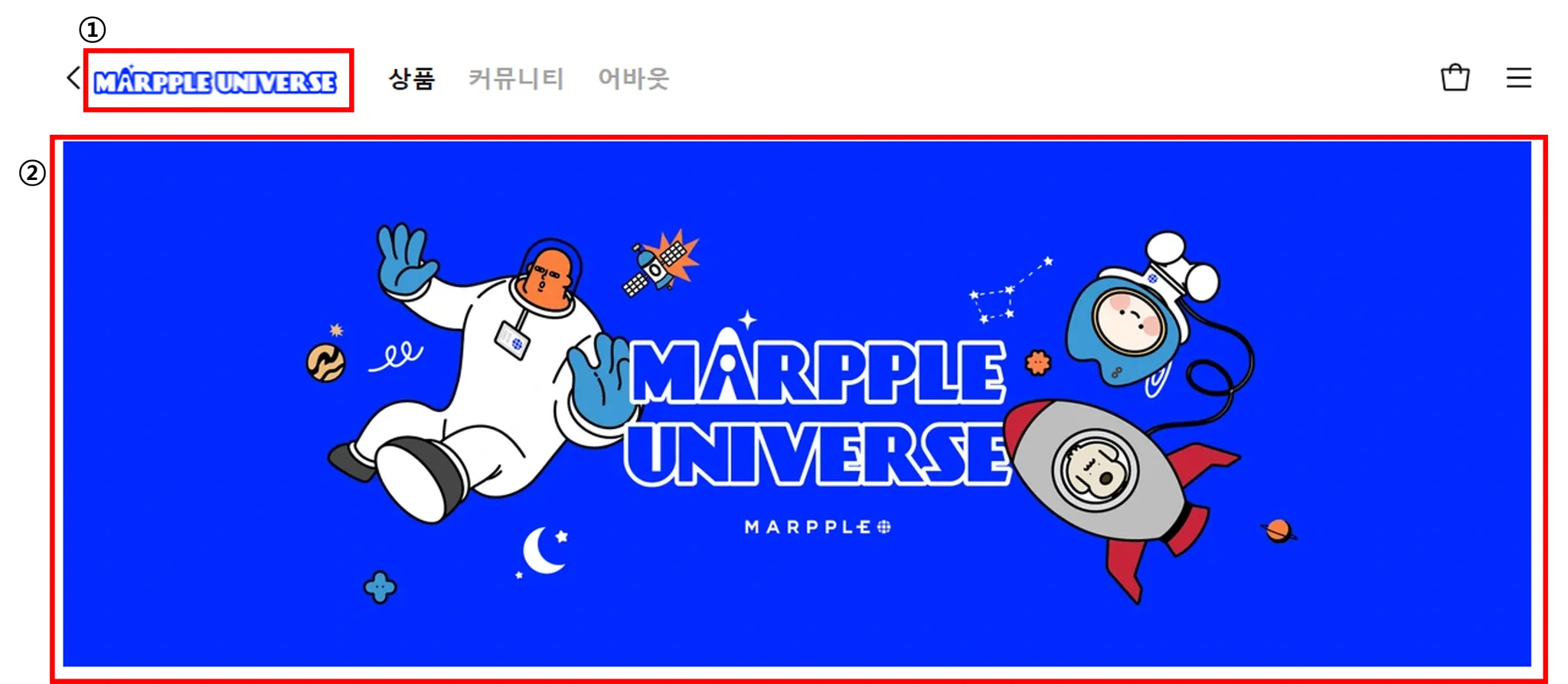
Logo : Logo appears on the top left corner of the shop main page. If you do not upload a logo image, the name of your shop appears in a text format.
Banner : Banner appears in the center of the shop main page. It becomes the face of your shop.
Then, where will the profile image appear?

The profile image appears on various pages such as the shop’s “About” page, real-time sales page, and creator page.
If you do not upload a profile image, people will only see the basic image. We recommend that you have a profile image.
